
Coming soon · Release date: October 14, 2026
UpdatedThank You Bus Driver Patch Notes: Update #1 Controls
Thank You Bus Driver patch notes explain Update #1's shop purchase and respawn key remapping. Review changes and fine-tune your controls before playing.
Jump to
Latest verified facts — Checked October 22, 2026 against the official store listings: Steam
- Thank You Bus Driver was released on October 14, 2026.
- Platforms: Steam, Windows.
What Changed in Update #1?
The Thank You Bus Driver patch notes give you more control over two inputs: shop purchases and respawning. Released on October 14, 2026, Update #1 lets you remap both, making it easier to put those actions on keys that feel comfortable. If either binding has been awkward during your shifts, the Thank You Bus Driver patch notes give you a reason to revisit your setup.
The Thank You Bus Driver patch notes focus on control customization. Here is the complete change list:
| Control | Change in Update #1 |
|---|---|
| Shop purchase keys | You can now remap them |
| Respawn key | You can now remap it |
Both changes address actions you can now assign to different keys. Shop purchase remapping lets you adjust your buying controls, while respawn remapping gives you a separate opportunity to reconsider that action’s placement.
Start with whichever input has been bothering you. If buying from the Shady Dealer feels awkward, review the purchase bindings. If the respawn key feels uncomfortable, focus on that assignment. There is no need to redesign your whole control setup just because these options have become available.
Keep comfortable bindings and change the ones you want to improve. Familiarity matters when choosing controls, so use your existing habits as the starting point. The practical value of this update is having a choice over these inputs.
Shop Purchase Key Remapping: Make Buying More Comfortable
Shop purchase keys are one half of the Thank You Bus Driver patch notes. Update #1 adds the ability to reassign them, giving you more flexibility when interacting with the Shady Dealer.
Think about the physical action of reaching for your purchase keys. Do you need to look down at the keyboard? Does your hand leave a comfortable position? Would a different assignment be easier to remember? Use those questions to decide whether a change would help.
Choose purchase bindings deliberately. A nearby key is useful only if it also feels comfortable and makes sense to you. Avoid choosing a replacement solely because it is available; pick something you can associate with buying without having to reconsider it each time.
When reviewing your purchase controls:
- Keep assignments that already feel natural.
- Change any purchase key that requires an uncomfortable reach.
- Choose replacements you can remember consistently.
- Review the purchase keys together so the arrangement feels coherent.
Treat the purchase controls as a group when planning your layout. Since the update covers shop purchase keys, check the assignments you use instead of assuming a single change will address every uncomfortable input.
After making a change, pay attention during your next shopping interaction. Check whether you remember the new assignment and whether reaching it feels better. Use that experience to decide whether to keep the binding or adjust it again.
Give yourself room to learn a new assignment. If you keep reaching for the previous key, pause and consciously recall the replacement. Avoid repeatedly changing bindings before you have had a chance to decide how they feel.
The aim is straightforward: make the purchase inputs comfortable enough that you can focus on what you are doing at the Shady Dealer.
Respawn Key Remapping: Choose an Intentional Assignment
The other change in the Thank You Bus Driver patch notes is the ability to remap the respawn key. This gives you direct control over where that action sits in your keyboard layout.
Consider respawn separately from shopping. Even if both bindings need attention, choose a key for each action based on how you want to reach and remember it. You do not need to apply the same placement preference to both.
For respawn, balance reach with intention. Choose a key you can locate comfortably while keeping it distinct in your mind from other actions. If you are concerned about pressing it unintentionally, consider a placement that requires a more deliberate reach.
These are personal layout choices. Use your own comfort and existing habits to guide them.
| Action | Customization available |
|---|---|
| Purchasing from the shop | Reassign the shop purchase keys |
| Respawning | Reassign the respawn key |
Before changing the respawn binding, think about why you want to move it. An uncomfortable stretch calls for a different choice than an assignment you simply struggle to remember. Identifying the problem makes it easier to judge whether the replacement solves it.
Use a clear mental association for the new key. Pick an assignment that feels connected to the action for you, then make a conscious effort to remember it before returning to play.
If you change both purchase and respawn bindings, review each assignment separately. Confirm which keys you intend to use for buying and which key you intend to use for respawning. That brief review can help you keep the two changes straight.
Keep the final layout simple enough to explain to yourself. You should be able to recall each assignment without mentally cycling through several abandoned alternatives.
How to Evaluate Your Updated Control Layout
The useful takeaway from the Thank You Bus Driver patch notes is that these controls can now fit your preferences more closely. Evaluate a new layout by asking whether it addresses the specific discomfort that prompted the change.
Start with a clear goal. For shopping, that might mean reducing an awkward reach. For respawning, it might mean choosing an assignment that feels more deliberate. Keep that goal in mind while deciding whether the replacement is worth keeping.
Change only what you need to evaluate. If you are happy with your shop purchase keys and only want to move respawn, focus on respawn. If purchasing is the problem, work on those bindings without adding unrelated changes to your review.
Consider these questions after trying a new assignment:
- Can you remember the key without checking?
- Can you reach it comfortably?
- Does its placement match how deliberately you want to press it?
- Has it addressed the reason you changed the original binding?
Answer those questions based on your own experience with the layout. A binding that looks tidy on paper still needs to feel comfortable under your fingers.
Avoid treating someone else’s preferred key as a required setting. Choose an assignment that suits your hand position and the controls you already know. Your keyboard habits are a useful guide when deciding where to place newly customizable actions.
If the replacement feels awkward, identify what is wrong before changing it again. Separate difficulty remembering the key from difficulty reaching it. Those are different problems, and they can point toward different replacements.
Once an assignment feels comfortable, keep it consistent while you learn it. Repeatedly moving the same action can make it harder to judge whether a layout is actually working for you.
Use this update to remove a specific point of friction. A small, purposeful adjustment is enough when it solves the problem you came to fix.
Reporting Control Issues and Sharing Feedback
Alongside the control changes, players are invited to report problems to support@doublefine.com with a detailed explanation. If you encounter trouble while using the new remapping options, describe exactly what you tried and what happened.
Make the report easy to follow. Identify whether the issue concerns shop purchase keys, the respawn key, or both. Explain the assignment you attempted and the behavior you experienced afterward.
| Report detail | What to include |
|---|---|
| Affected control | Shop purchase keys, respawn key, or both |
| Attempted change | The key assignment you tried to use |
| Actual behavior | What happened when you used that assignment |
| Expected behavior | What you intended the assigned control to do |
Describe your experience plainly. “The remapping feels wrong” gives less useful detail than explaining which action you changed, which key you chose, and what happened when you pressed it.
If you tried another assignment, include that information too. Describe whether the behavior changed or stayed the same. Keep the report focused on what you actually did and observed.
Distinguish a control preference from a control problem when explaining the issue. If a key is uncomfortable, describe the reach or placement that bothers you. If an assignment behaves differently from what you intended, explain the action and result. That distinction helps communicate what kind of assistance you need.
You can also share feedback about how the new customization affects your setup. Be specific about which binding change helped and why. Concrete feedback communicates more than a broad statement that controls are better or worse.
For players revisiting the game, the Thank You Bus Driver patch notes make the next step clear: review the purchase and respawn assignments, adjust any uncomfortable bindings, and explain any problems in detail when contacting support.
FAQ
What changed in the Thank You Bus Driver patch notes for Update #1?
Update #1 added remapping for shop purchase keys and the respawn key. Released on October 14, 2026, it gives you more flexibility over those two parts of your control setup.
Can you change the shop purchase keys?
Yes. You can remap the shop purchase keys after Update #1. Review the assignments you use at the Shady Dealer and choose replacements that feel comfortable and easy to remember.
Can you remap the respawn key?
Yes. Update #1 lets you reassign the respawn key. Choose its placement intentionally, considering both comfortable reach and how you want to distinguish it from your other controls.
How do you report a problem with the new bindings?
Email support@doublefine.com and describe the issue in detail. Include the affected action, the key assignment you attempted, what you expected, and what happened. If you tried a different assignment, explain the result of that attempt as well.
Continue with
Thank You Bus Driver Thank Yous and Timer: Player GuideMaster Thank You Bus Driver Thank Yous and timer basics. Learn how gratitude extends your time, manage changing bus rules, and plan your next stop wisely.Popular pages
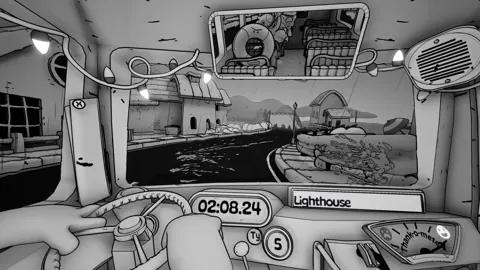
Thank You Bus Driver Release Date Countdown: Launch
Check the Thank You Bus Driver release date countdown for October 14, 2026. Get launch details, Steam Deck status, and tips to prepare for your route.
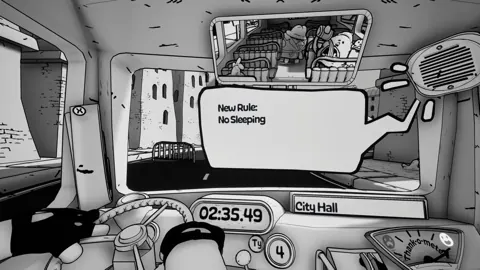
Thank You Bus Driver Platforms and Wishlist: Launch Guide
Thank You Bus Driver platforms and wishlist guide: check Windows support, Steam Deck status, October 14 release date, and how to wishlist before launch.
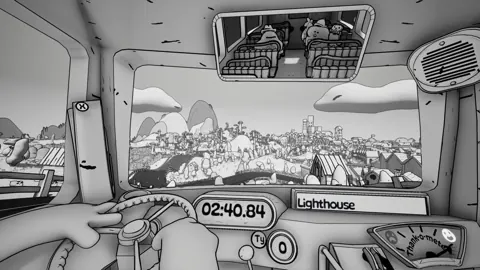
Thank You Bus Driver System Requirements: PC Guide
Check Thank You Bus Driver system requirements, Windows compatibility, and Steam Deck status. See which PC specs are listed before the October 14 release.
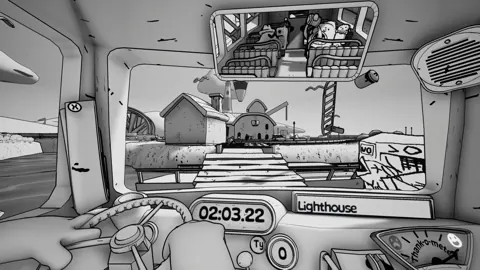
Thank You Bus Driver Trailer and Screenshots: Media Guide
Explore Thank You Bus Driver trailer and screenshots, preview the chaotic driving mechanics, and check release details before its October 14, 2026 launch.
Join the community
Official channels for news, updates and player help: